Randomness with taste.
One click creates engines, patches, rhythms, notes and subtle effects for all four tracks. The result stays musical because everything is generated inside a style.
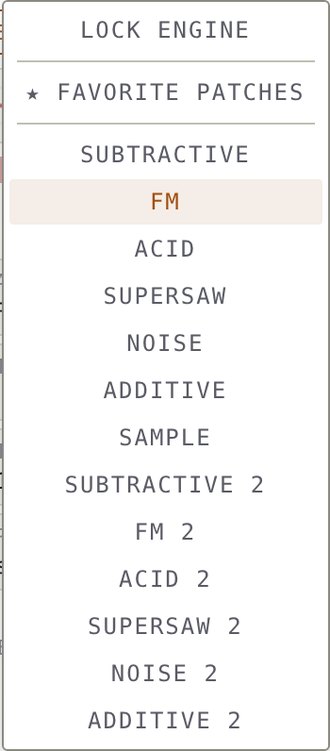
- One clickLeft-click the X GENERATOR logo. Without an active style, Techno Detroit is used automatically.
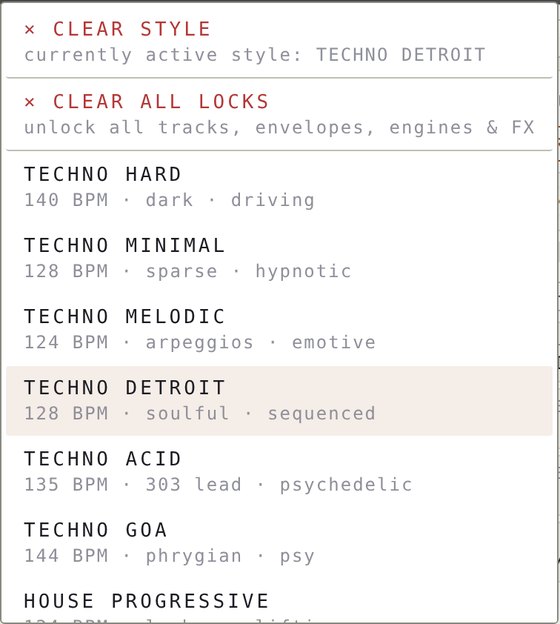
- Right-clickOpens the style picker with all styles, clear style and clear all locks.
- Type filterChoose which sound types may appear: Drum, Bass, Lead, Pad, Atmo, Pluck, Seq, Brass, Chord, Piano, Guitar, Flute, Perc, plus Short, Mid or Long.
- Per-box re-rollClick any parameter box on a track to re-roll just that aspect: scale, Euclid, notes, octave, filter, envelopes.
- LocksLock pattern, engine, octave, envelopes, reverb or delay on a track and keep them while everything else changes.
- Subtle FXReverb, delay and chorus levels are set per sound type, so patches sound finished from the first click.
Lock what you love. Re-roll the rest.
Randomness is only useful if you can keep the good parts. Every track has independent locks. Generate as often as you like and the locked layers stay exactly as they are.
Pattern lock
Keeps rhythm, notes, length, root, step resolution, note lengths and chord voicings. Generate re-rolls only the sound. Single-track generate also keeps mute, volume, pan, pitch, octave, fine, cutoff and filter envelope amount.
Engine lock
Keeps the engine with every oscillator, filter and envelope setting. Ideal for a bass sound you do not want to lose.
Octave lock
Holds the register while everything else changes.
Amp envelope lock
Keeps attack, decay, sustain and release, and blocks nudges from the AMP ENV box.
Filter envelope lock
Keeps the filter envelope stages and blocks nudges from the FILT ENV box.
Reverb lock
Keeps the reverb send level of all tracks, so a dry or wet mix survives re-rolls.
Delay lock
Keeps the delay send level of all tracks.
Page lock
Stops the view from following the playhead between steps 1 to 32 and 33 to 64.
- StylesA style skips locked layers: pattern-locked tracks ignore density, step resolution, progression and FX bias. Engine and envelope locks protect their values from FX bias.
- Learned stylesPattern-locked tracks are left untouched by learned generation.
- Master pinParameter changes copied to the other tracks skip targets that are locked.
- Favorites modePattern locks hold when generate draws from your saved patches.
- PatchesTrack locks are stored with patches and tracks, and restored when you load them.
- Clear allRight-click any lock icon, or choose × CLEAR ALL LOCKS in the style menu. One step, undoable.

- Groove firstLock the pattern on T1 and T2, then keep generating until the sound fits.
- Bass staysLock the engine on T1, unlock the pattern, re-roll the melody.
- Same character, new timbreLock the amp envelope and re-roll the engine.
- Dry mixSet the sends to zero, then lock reverb and delay.
25 styles. Every rule editable.
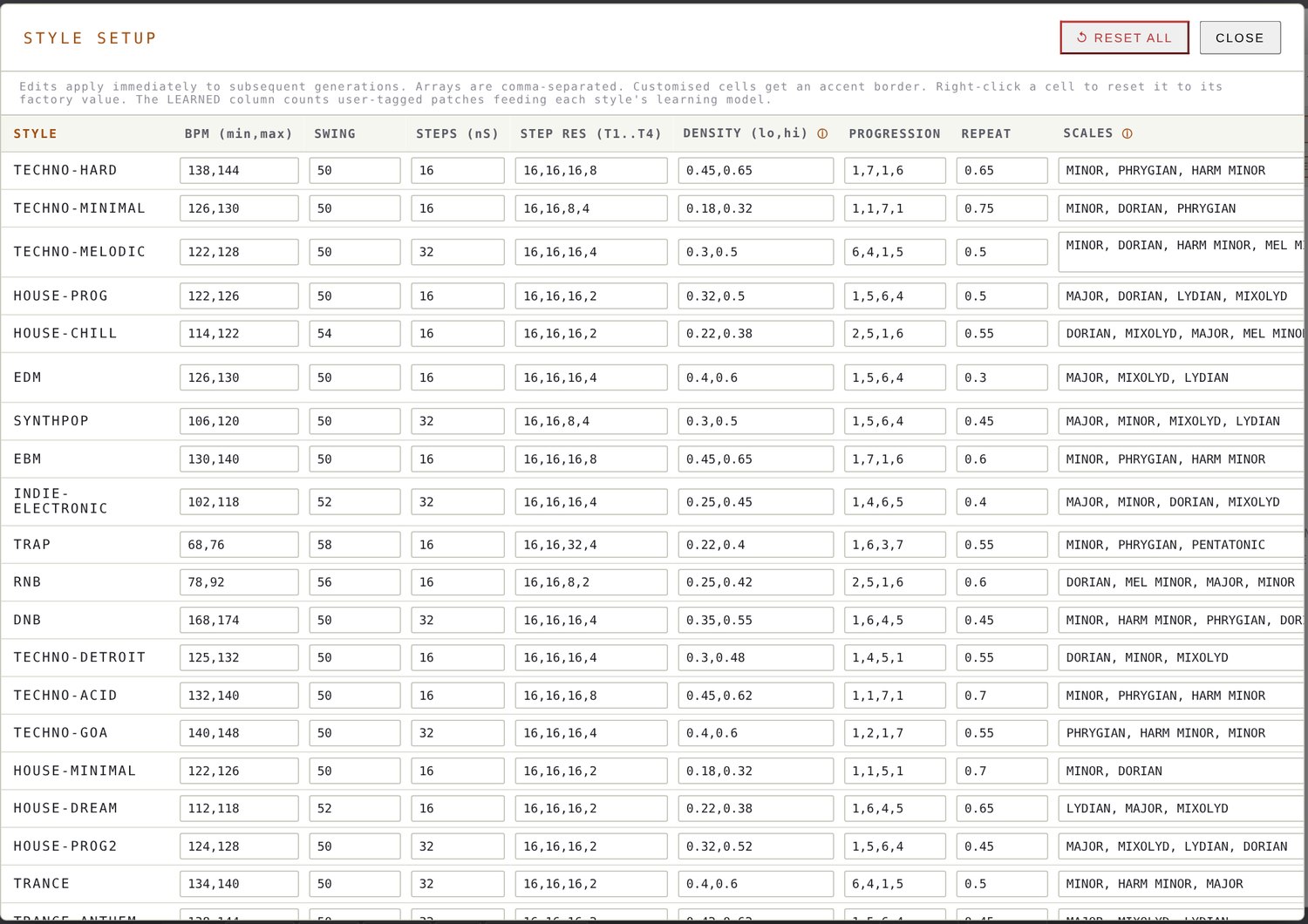
A style is a complete set of generation rules. Pick one and it stays active across every generate, notes and Euclid action until you clear it. The numbers show the picker tempo.
- Tempo & swingA BPM inside the style range and its swing value.
- ScaleOne scale from the style list, for example Dorian, Phrygian, Lydian or Mixolydian.
- Sound typesWhich types may appear and whether sounds are short, mid or long.
- DensityPattern density per track, busiest on T1 and sparsest on T4.
- ProgressionA scale-degree chord progression on T4, such as 1-4-5-1 for Detroit.
- Step resolutionPer-track step resolution from 1/32 to 1/2.
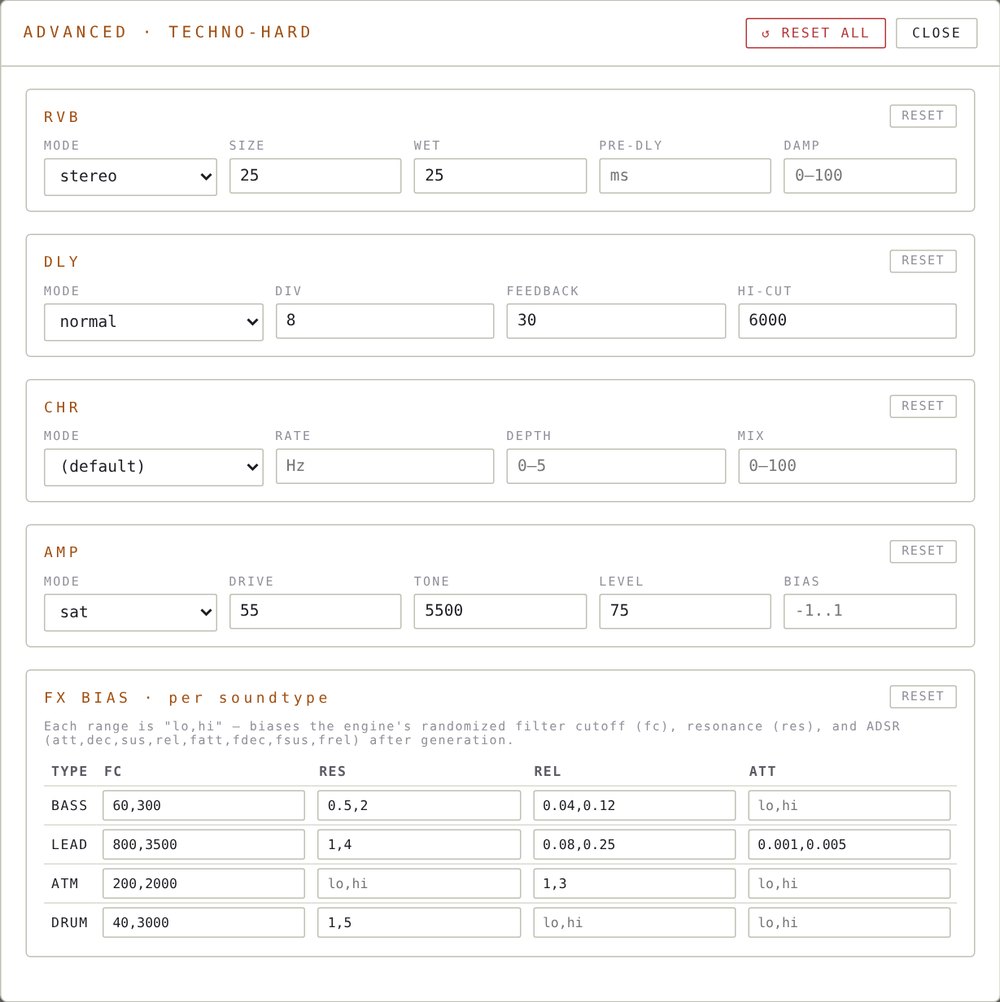
- FX & envelopesReverb, delay, chorus and amp defaults, plus filter and envelope bias per sound type.
Teach it your taste.
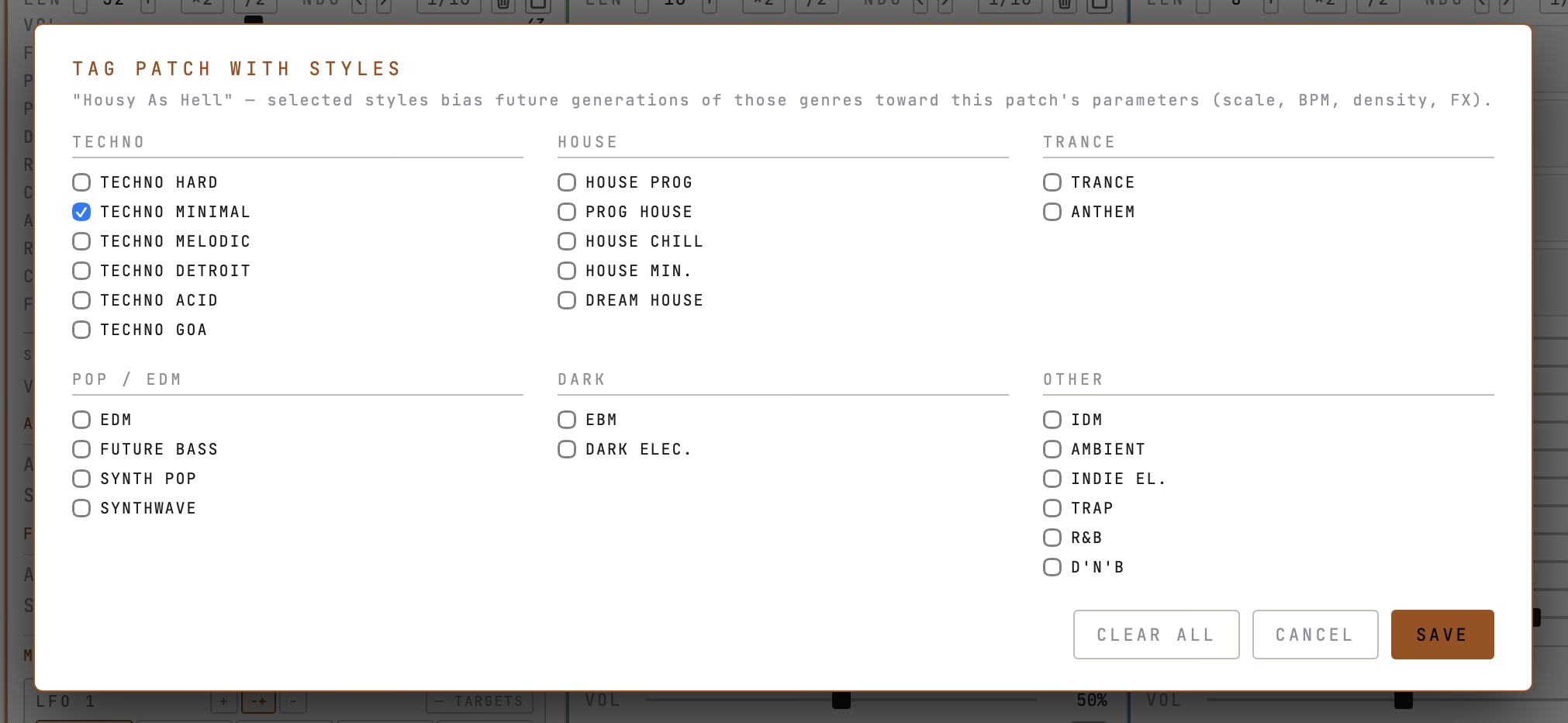
Tag your own saved patches with styles. With two or more tagged patches the generator learns from them.
- Style taggerRight-click a patch in the library to tag it with one or more of the 25 styles.
- ClusteringTagged patches are grouped by tempo, density, cutoff, release and reverb.
- Chord modelsA Markov chain of T4 scale degrees replaces the preset progression.
- Sound modelsCutoff, resonance, ADSR, FX sends, pan and filter envelope follow what you saved, with small random variation.
- Seed patchEngine, LFO state, scale and tempo come from a random patch in the cluster.
Chords that already fit.
Three ways to get chords, all tied to the track scale. Insert chord shapes, pick from curated EDM voicings, or play chords live from single MIDI notes.
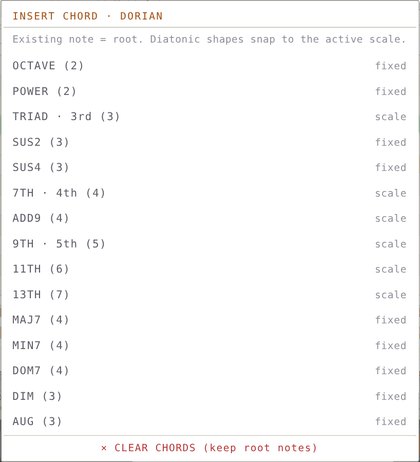
- Insert chord15 shapes: octave, power, triad, sus2, sus4, dim, aug, 7th, add9, maj7, min7, dom7, 9th, 11th, 13th. Existing notes become the root, upper voices snap to the scale.
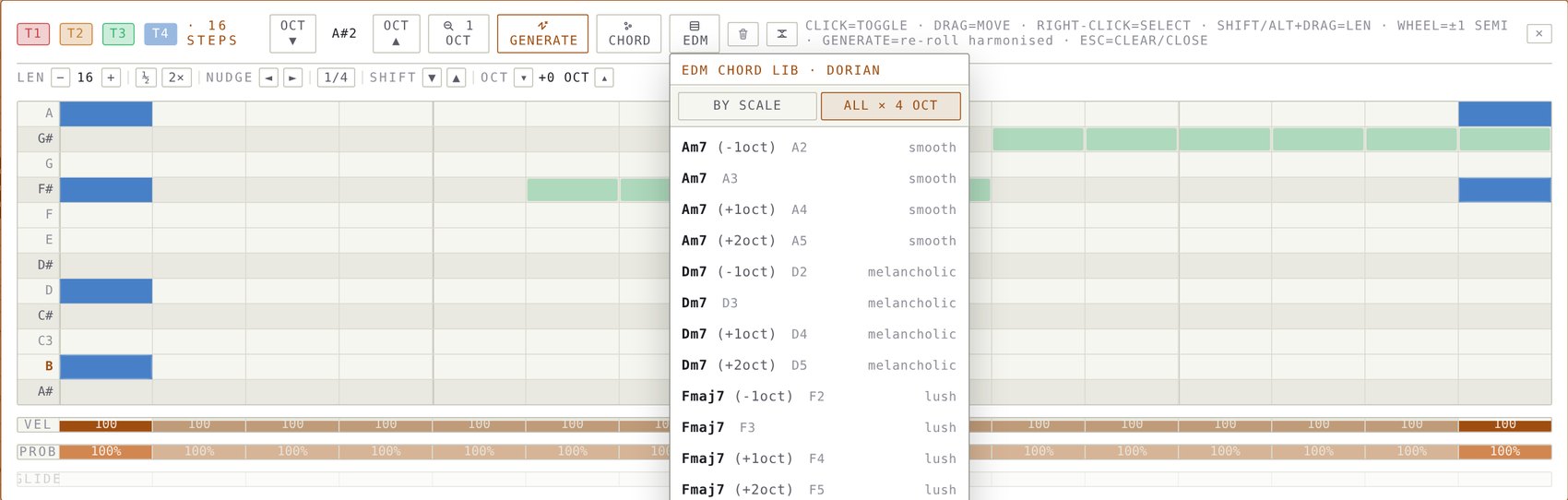
- EDM chord library33 curated voicings with mood tags, from chillout and deep house to trance and techno. Show them by scale or across all chords in four octaves.
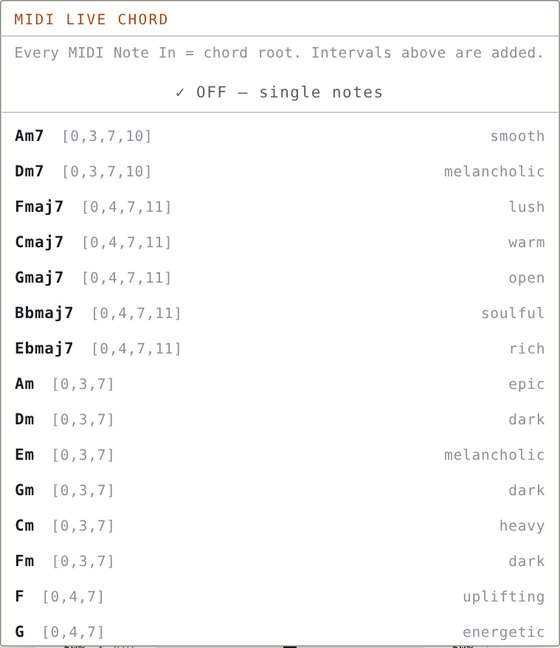
- Live chord inputCHORD IN harmonises each incoming MIDI note with a chosen voicing. Step through the library with the arrow buttons.
- Chord recordingWith record armed, every recorded step is written as a full chord.
- Voice editingEdit single chord notes in the piano roll, each with its own length.
Four strips. Each its own instrument.
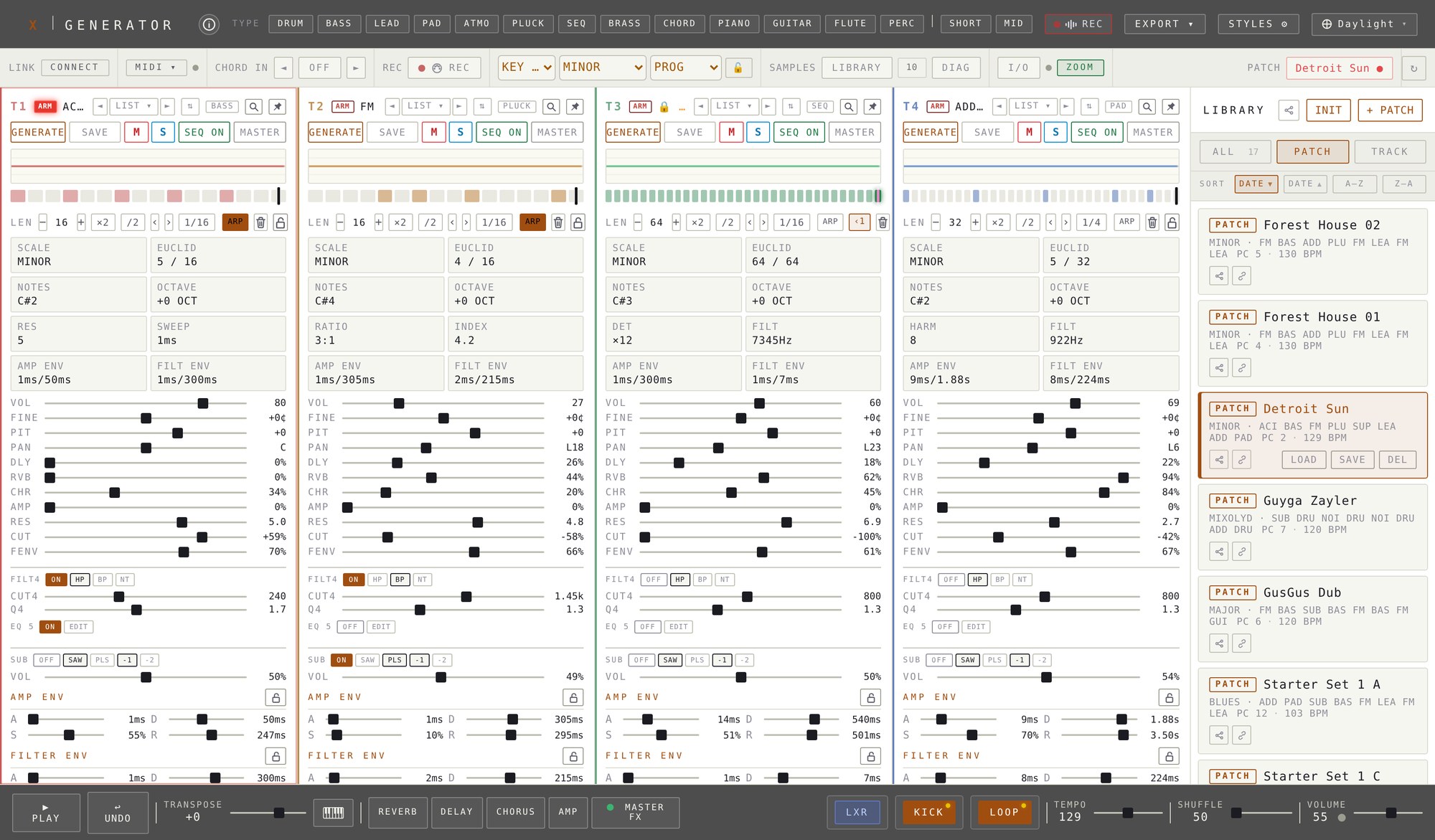
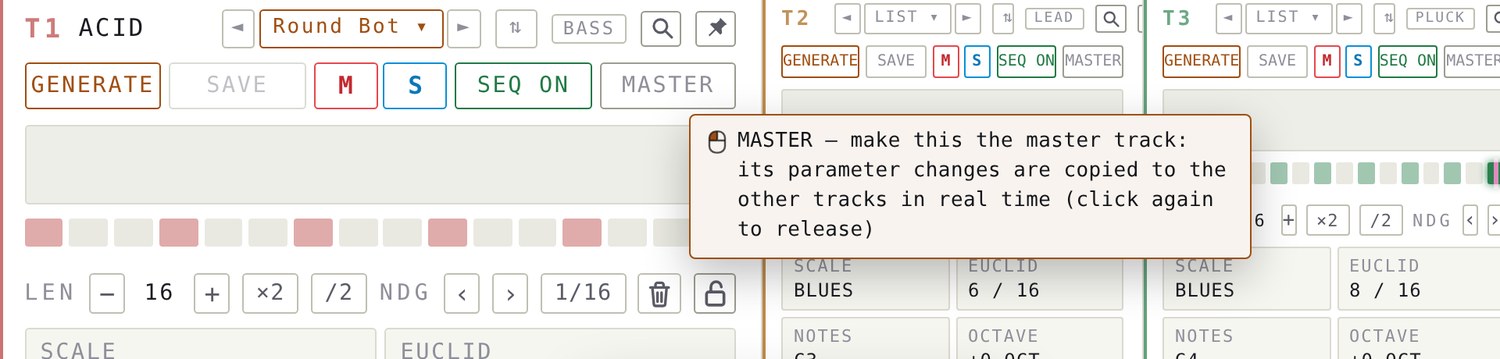
Every track has its own engine, scale, rhythm and mix. Seven engine families, six with a second variant, give thirteen engines.
- EnginesSubtractive, FM, Acid, Supersaw, Noise, Additive and Sample, plus "2" dual-oscillator variants.
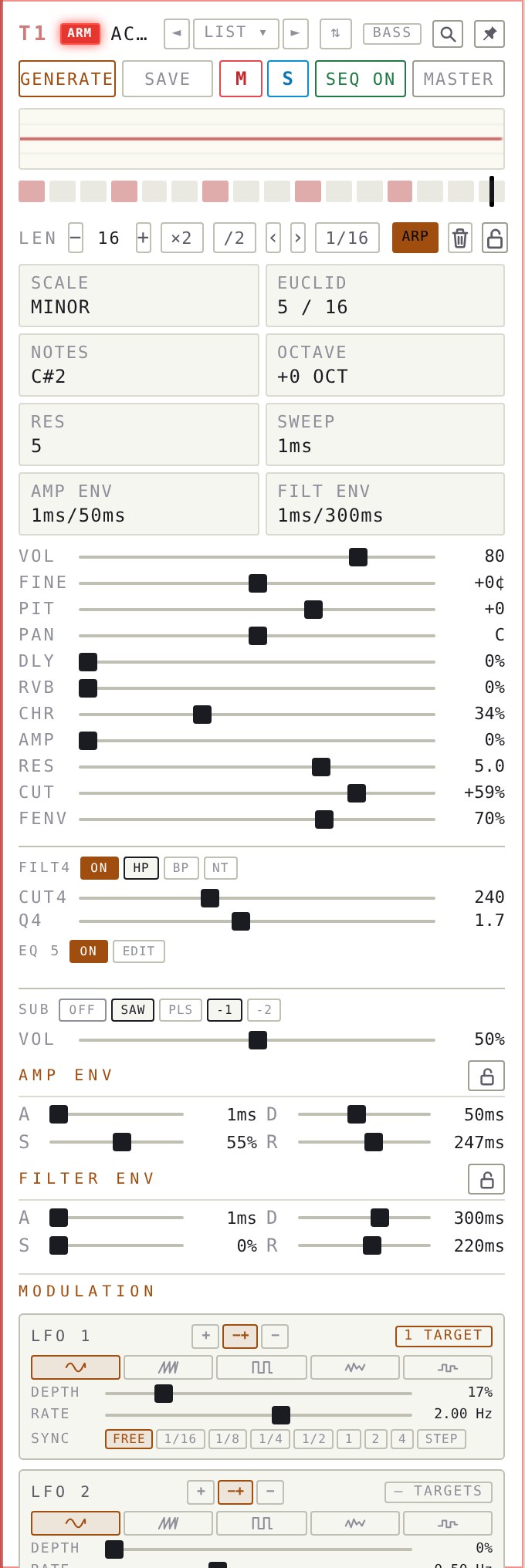
- HeaderGenerate, save, mute (M), solo (S), sequence on/off and master, with pin and sound type badge.
- ARMThe small red ARM button next to the track number sends all MIDI and computer-keyboard notes to this track only, wherever the mouse is. Click it again to release.
- Parameter boxesScale, Euclid, notes, octave and engine-specific controls like filter, FM ratio and index, harmonics or detune.
- MixerVolume, fine tune, pitch, pan, delay, reverb, chorus and amp sends, resonance, cutoff and filter envelope amount.
- Sub oscillatorSaw or pulse, one or two octaves down, with its own level.
- Filter & EQA 4-pole highpass, bandpass or notch plus a five-band parametric EQ on every strip. See Filter & EQ.
- ArpeggiatorThe ARP button in the length row turns a held note into an arpeggio. See Arpeggiator.
- Master pinPropagate a changed parameter to the other tracks, respecting their locks.
- SoloExclusive. Solo one track and every other track, the kick and the loop go silent. Click it again and the full mix returns.
- Hover helpEvery button explains itself: rest the mouse on Generate, Save, Seq, Master, the MIDI channel switch or any sound type.
- Sound browserThe ◄ LIST ▾ ► group next to the track name steps through your saved sounds. See Library.
- Hover zoomThe track under the mouse grows to double width. Pin it to keep that width.
Seven engines. Thirteen voices.
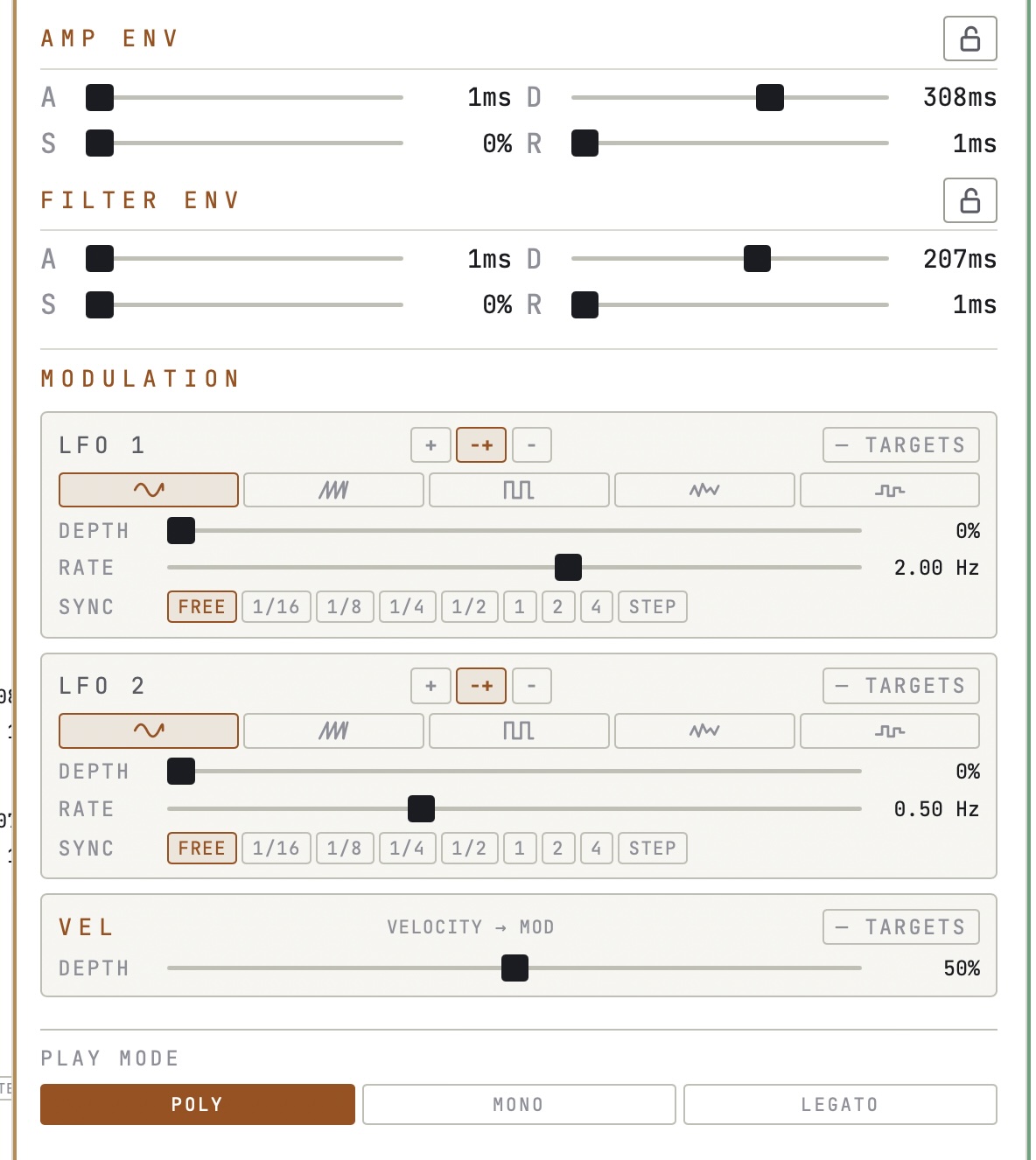
Every engine ships in two flavours: the base voice and a "2" variant that adds a second oscillator layer. All of them share the same amp envelope, filter envelope, sub oscillator, two LFOs and velocity modulation.
- Amp envelopeAttack and decay from 1 ms to 8 s, release up to 12 s, sustain 0 to 100 percent.
- Filter envelopeSweeps up from the base cutoff by as much as eleven times, then settles and releases. ACID sweeps down.
- Filters12 dB per octave, resonance from 0.1 to 30.
- Sub oscillatorSaw or pulse, one or two octaves down, own level, on any engine.
SUBTRACTIVE
Saw, square, triangle or sine oscillator into a resonant filter, lowpass, bandpass or highpass. Square waves support pulse-width modulation. The kick drum is built from this engine.
- On the track
- WAVE · FILT
- Special modulation
- FINE · WAVE · FILT TYPE · PWM
- "2" variant
- Adds a second oscillator, −12 to +12 semitones, sharing detune, filter and PWM.
FM
Carrier (sine or triangle) and modulator (sine, saw or triangle). Ratios from 0.25 to 14, including inharmonic bell ratios. The index decays over the note, so sounds mellow as they fade.
- On the track
- RATIO · INDEX
- Special modulation
- FINE · WAVE (carrier)
- "2" variant
- A complete second FM voice at an offset pitch, four oscillators in total.
ACID
Saw or square into a high-resonance lowpass, resonance up to 38, sweeping down exponentially. Filter envelope amount sets the sweep depth, filter attack the sweep time, 5 to 500 ms.
- On the track
- RES · SWEEP
- Special modulation
- WAVE · FENV as sweep depth
- "2" variant
- Second oscillator, default square an octave down, with its own parallel filter.
SUPERSAW
Three to nine detuned saws spread across the detune range, centre voice strongest. Wide pads, trance leads and dark textures.
- On the track
- DET · FILT
- Special modulation
- FILT TYPE · WAVE (second stack)
- "2" variant
- A second saw stack with about 65 percent of the voices and its own detune, saw or square.
NOISE
White or pink noise through a lowpass, highpass or bandpass tracking the note pitch. Snares, hats, wind and breath.
- On the track
- TYPE · RES
- Special modulation
- Cutoff, amp attack and release
- "2" variant
- A second noise layer with its own filter, shifted in pitch.
ADDITIVE
One sine or triangle oscillator per partial, three to sixteen of them. Structures include harmonic, odd, even, saw and square approximations, bell, pluck, inharmonic, prime and random.
- On the track
- HARM · FILT
- Special modulation
- All envelope stages, cutoff
- "2" variant
- A second partial bank, triangle, sine or square, transposed.
SAMPLE
Plays library samples pitched across the keys from their root note. The root comes from the file name, for example D4, or from pitch analysis. Pick samples with the arrow buttons. It is chosen manually, never by the randomizer.
- On the track
- PICK SAMPLE · ◄ ►
- Special modulation
- PITCH changes playback rate · all envelope stages
- "2" variant
- No second variant.
| Modulation target | SUB | FM | ACID | SSAW | NOISE | ADD | SMP |
|---|---|---|---|---|---|---|---|
| Pan · volume · reverb mix · delay mix | ● | ● | ● | ● | ● | ● | ● |
| Pitch · octave · filter env amount | ● | ● | ● | ● | ● | ● | ● |
| Cutoff | ● | ● | ● | ● | ● | ● | ◐ |
| Fine tune | ● | ● | – | – | – | – | – |
| Wave | ● | ● | ● | ◐ | – | – | – |
| Filter type | ● | – | – | ● | – | – | – |
| Pulse width (PWM) | ● | – | – | – | – | – | – |
| Envelope times and sustain | ● | ● | ◐ | ● | ◐ | ● | ● |
A second filter. A five-band EQ. On every strip.
Each track carries a 4-pole multimode filter and a parametric equalizer. They sit after the oscillator and before pan and the effect sends, so reverb, delay and chorus hear exactly what you shaped.
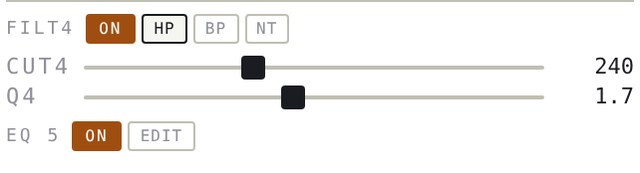
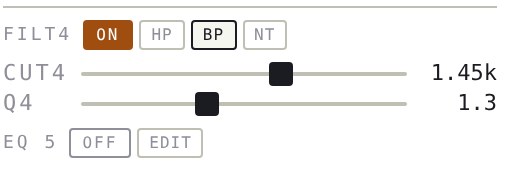
- FILT4Switch it on in the track card and choose HP highpass, BP bandpass or NT notch. Two cascaded stages give 24 dB per octave.
- CUT4 & Q4Cutoff from 20 Hz to 20 kHz, Q from 0.3 to 14. Independent from the synth filter, so you can run both.
- ModulationPick FILTER 4P · CUTOFF in the LFO target list. The cutoff sweeps up to four octaves either way, also in the audio export.
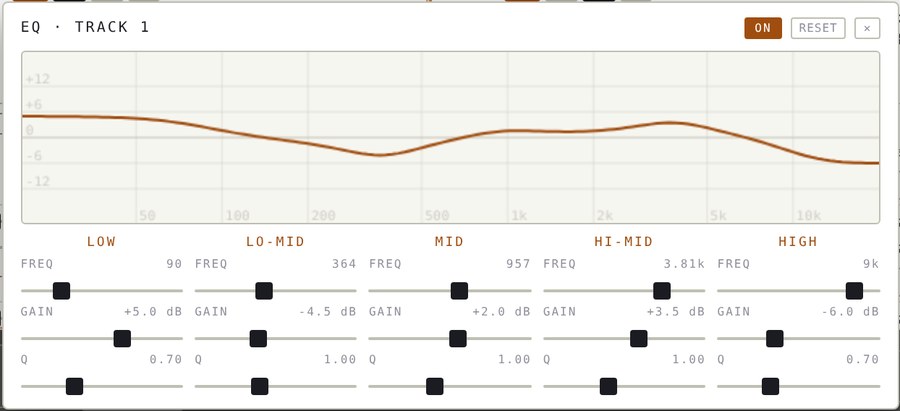
- EQ 5Low shelf, three bells and a high shelf. Every band has its own frequency, gain of ±18 dB and Q.
- Live curveEDIT opens the editor with the response curve drawn while you move. Double-click a gain slider to reset it, RESET clears all bands.
- RenderedFilter and EQ are baked into the WAV stems and the master recording, and they are saved with the patch.
- Safe re-rollsGENERATE on a single track keeps that track’s FILT4, EQ and ARP settings.
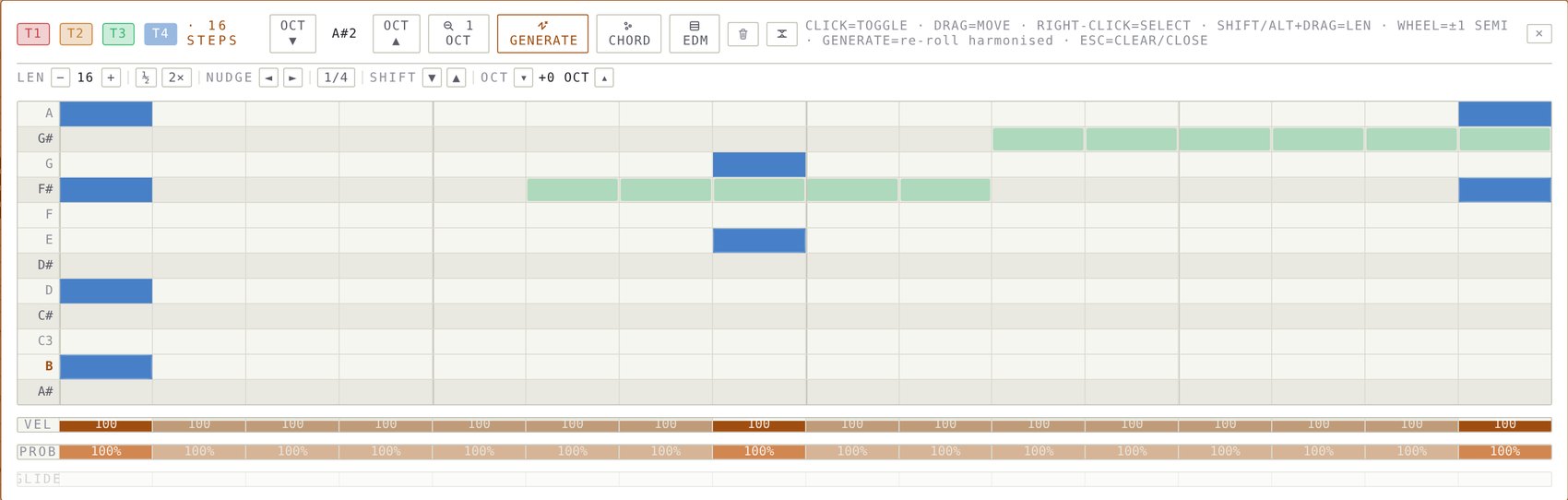
Steps, notes, velocity, probability.
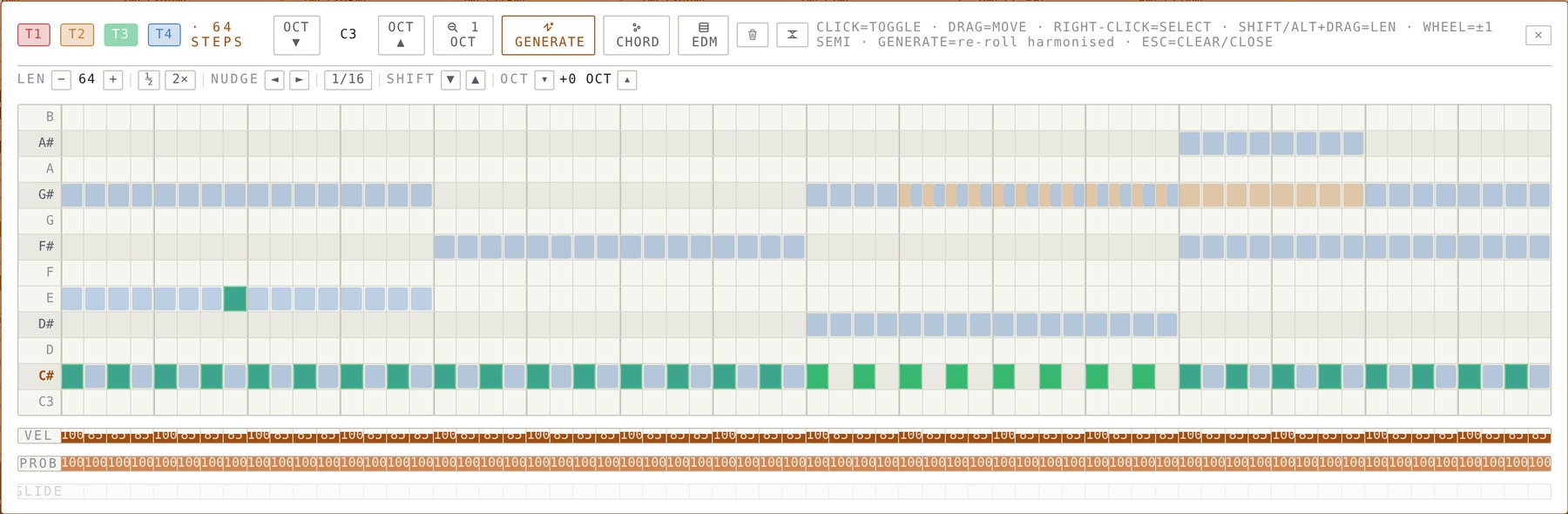
Each track has a step row, and the piano roll edits all four tracks.
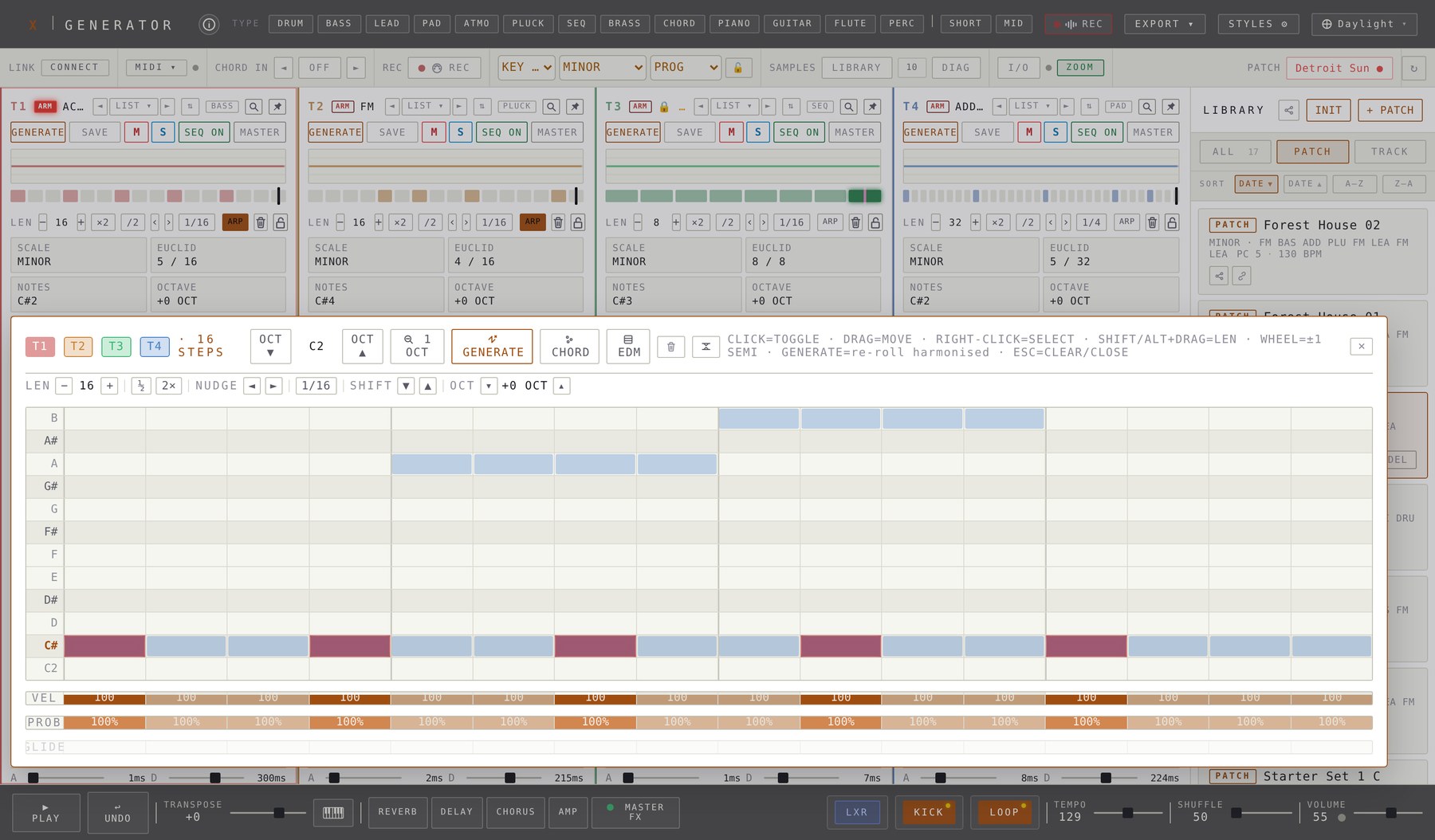
- Length1 to 64 steps, with ×2, /2 and nudge, plus pages for patterns over 32 steps.
- ProbabilityNote step editors and LXR share one set of probability levels. The ⚙ setup defines how many steps there are and which percentage each one stands for.
- Resolution1/1 down to 1/32 per track.
- EuclidHits / steps generator. Click to set density, right-click to copy and paste a pattern.
- LanesVelocity 1 to 127, probability 0 to 100 percent and glide per step.
- EditingClick to toggle, drag to move, right-click to select, shift or alt drag for note length, wheel for semitones.
- Clear & lockTrash clears a track. Lock keeps pattern, notes and length through re-rolls. A locked track also refuses the NOTES, EUCLID and SCALE buttons, pasting and MIDI recording.
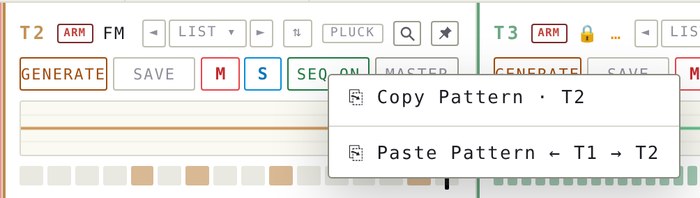
- Copy patternRight-click the SEQ ON button (long-press on touch) and choose Copy Pattern. Do the same on another track and choose Paste. Steps, notes, length, resolution and chords travel along, the sound stays. Undo works.
- SEQ soundsThe SEQ type plays short, snappy electronic sequencer notes with alternating octave jumps. Every GENERATE writes a fresh line of 8 to 64 steps that follows the chord track.
- Shuffle50 to 65 delays off-beat steps from straight to near-triplet.
An arpeggiator on every track.
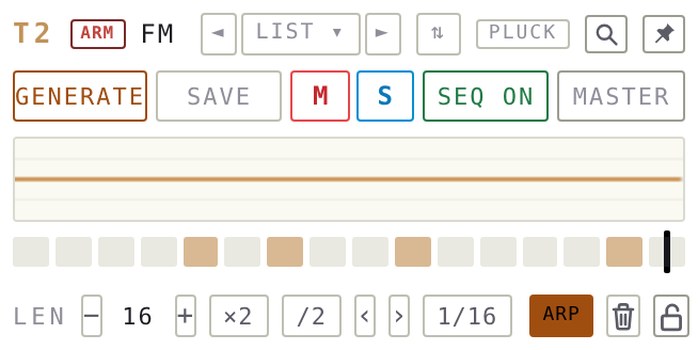
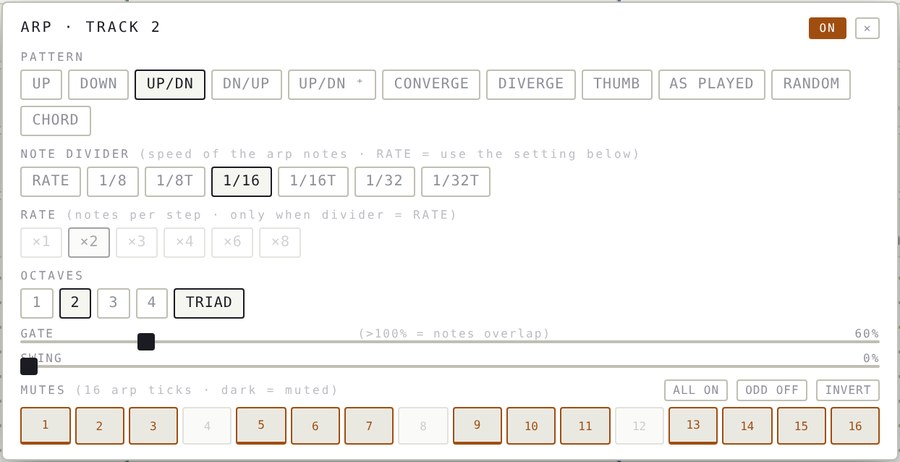
Hold a note and the track plays it as an arpeggio. Eleven patterns, a note divider from 1/8 to 1/32, and sixteen mute cells to carve the rhythm. It works live, in the sequencer and in the export.
Play it live
Keys you hold on a MIDI keyboard or the computer keyboard are arpeggiated on that track.
- One key
- a triad arpeggio of the track’s scale
- Several keys
- your own chord, in the order you choose
- Release
- the arpeggio stops; a sustain pedal holds it
Pattern and speed
- Patterns
- Up, Down, Up/Down, Down/Up, Up/Down ⁺, Converge, Diverge, Thumb, As Played, Random, Chord
- Note divider
- 1/8, 1/16, 1/32 and the triplets 1/8T, 1/16T, 1/32T, locked to the BPM
- Octaves
- 1 to 4, with an optional diatonic triad for single notes
Written 1:1 into the steps
With REC armed, the arpeggio itself lands in the pattern.
- One tick
- becomes one step, muted ticks become rests
- Gate
- becomes the note length
- Automatic
- the resolution follows the arp speed and ARP switches off, so playback sounds exactly like what you played
- ARP buttonSits in the length row next to the resolution. It lights up when the arpeggiator is on; click it to open the panel.
- RateRATE keeps the classic setting: one to eight notes per step, with ×3 and ×6 for triplets.
- Gate & swingGate from 5 to 400 percent; above 100 percent the notes overlap. Swing from 0 to 100 percent.
- 16 mutesEach of the sixteen arp ticks can be switched off. ALL ON, ODD OFF and INVERT build rhythms in one click.
- EverywhereThe same engine runs live, in playback and in the audio export, and the settings travel with copied patterns.
Two LFOs. Twenty targets.
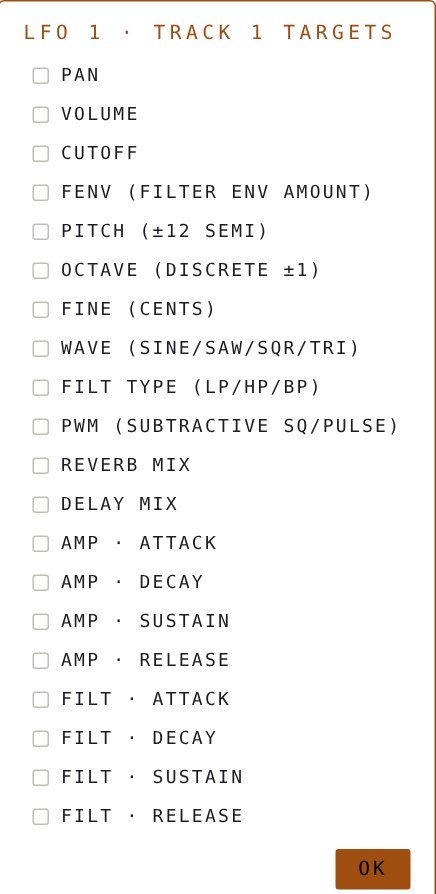
Each track has two LFOs and a velocity modulator. Targets can be combined freely.
- WavesSine, saw, pulse, random and sample-and-hold.
- PolarityBipolar, positive or negative.
- Rate0.05 to 30 Hz, or synced to 1/16, 1/8, 1/4, 1/2, 1, 2 or 4 bars. STEP gives one cycle per active step.
- TargetsPan, volume, cutoff, the 4-pole filter cutoff, filter env amount, pitch, octave, fine tune, wave, filter type, PWM, reverb mix, delay mix and every amp and filter envelope stage.
- CombineOne LFO can hold several targets. Two LFOs on one target add up.
- VelocityStep velocity modulates the same targets. Velocity 64 is neutral.
- Play modePoly, mono or legato. Legato adds glide on marked steps, about 40 percent of the step.
Shared sends. A real master chain.
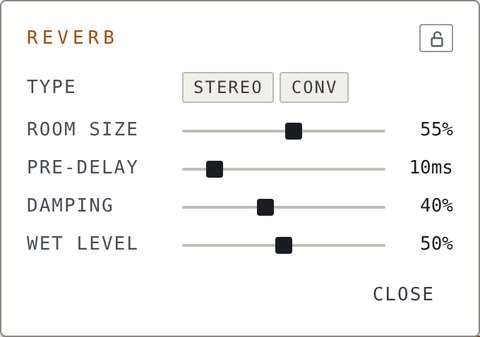
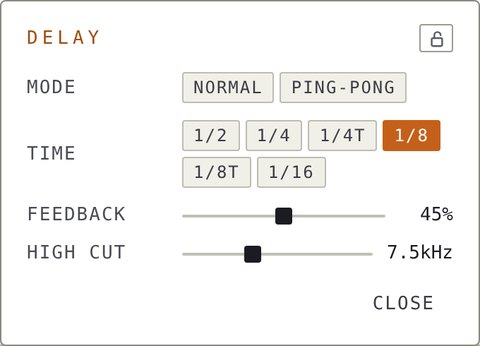
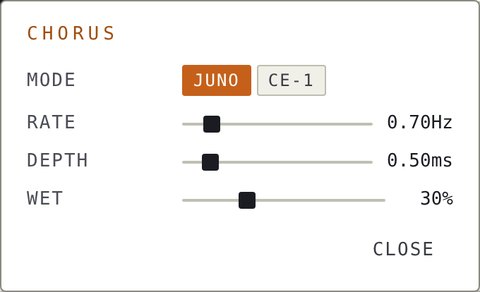
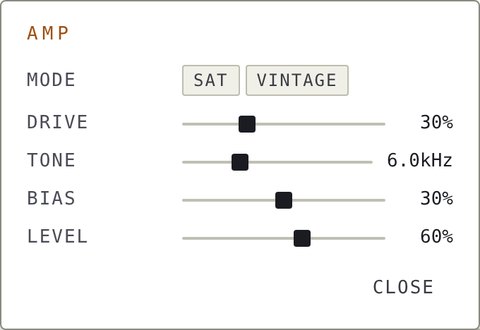
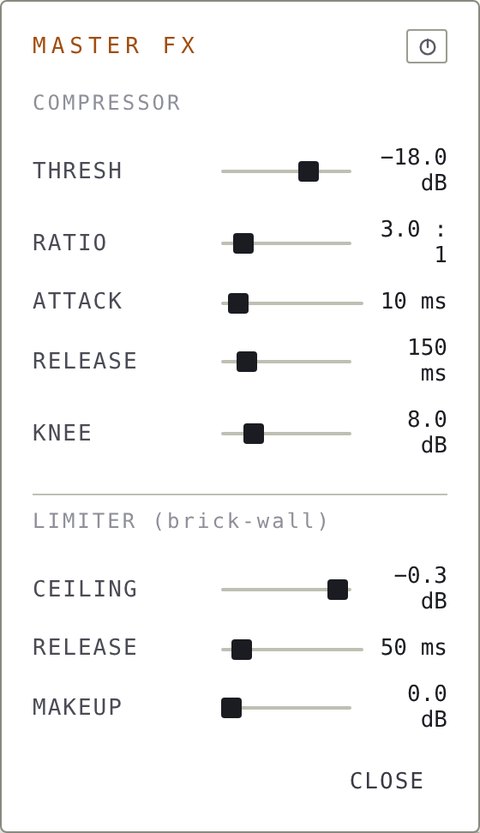
Per-track send sliders feed reverb, delay, chorus and amp. The master section adds a compressor and a brick-wall limiter.
- ReverbStereo (light) or convolution. Room size, pre-delay, damping and wet.
- DelayNormal or ping-pong, time 1/2 to 1/16 including triplets, feedback and high cut.
- ChorusJuno or CE-1 style with rate, depth and wet.
- AmpSaturation or vintage tube-style, with drive, tone, bias and level.
- Master FXCompressor and limiter, with bypass (right-click).
Built to be played.
Use a MIDI keyboard or the computer keyboard. Play all four tracks together or one per MIDI channel.
- MIDI inDevice selector with status. Velocity is passed through.
- 1 CH / 4 CHOne channel plays all tracks. In 4 CH, channels 1 to 4 play T1 to T4.
- Live transposeLIVE turns incoming notes into transposition (C4 = 0). In 1 CH all tracks that are lit in the LIVE TRANSPOSE dialog follow, regardless of mute or pattern lock. In 4 CH the MIDI channel decides which track is transposed. The setting is saved with the patch and respected by the exports.
- MIDI recordStep mode while stopped. Live overdub while playing, quantised to the nearest step, with chords for notes played together. The time you hold a key becomes the note length. With the arpeggiator on, the arpeggio itself is recorded 1:1.
- ARMThe red ARM button locks all note input to one track, regardless of the mouse position or MIDI channel.
- Held notesA key sounds as long as you hold it and fades with the release of the sound. A sustain pedal (CC 64) is supported.
- Arpeggiator liveWith ARP on, held keys are arpeggiated on that track, with the note divider, pattern and mutes you set.
- Program changePatches are numbered alphabetically and show a small PC chip. A MIDI Program Change loads a patch, Bank Select (CC 0) reaches patches above 127.
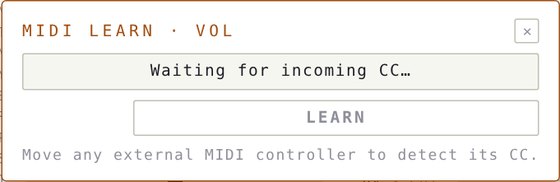
- MIDI learnRight-click any slider and move a controller to map its CC.
- MIDI clockFollows incoming clock and start/stop.
- MIDI out per trackEvery synth track sends its notes to its own MIDI device and channel. Right-click, or long-press on touch, the track number T1 to T4 to open the dialog.
- Ableton LinkTempo and start/stop through a small local bridge.
- Computer keysQWERTZ piano with Y / X for octave. In 4 CH it plays the hovered track.


Every slider is a knob on your controller.
Right-click any slider, move a control on your MIDI device, and it is mapped. About 125 parameters can be remote controlled.
- Per trackVolume, fine, pitch, pan, delay, reverb, chorus and amp sends, resonance, cutoff, filter env amount, sub level, all eight envelope stages, LFO depth and rate, velocity depth.
- GlobalTempo, shuffle, master volume, transpose, kick volume and loop volume.
- EffectsEvery slider in the reverb, delay, chorus, amp and master FX panels.
- HowRight-click a slider, wait for the CC, move your controller, press LEARN.
- ScalingCC 0 to 127 spans the full slider range, snapped to its step.
- FeedbackMapped sliders get a highlighted outline. × CLEAR removes a mapping.
- StorageThe map is saved in the browser. One controller can drive several sliders.
Pocket-sized. Fully playable.
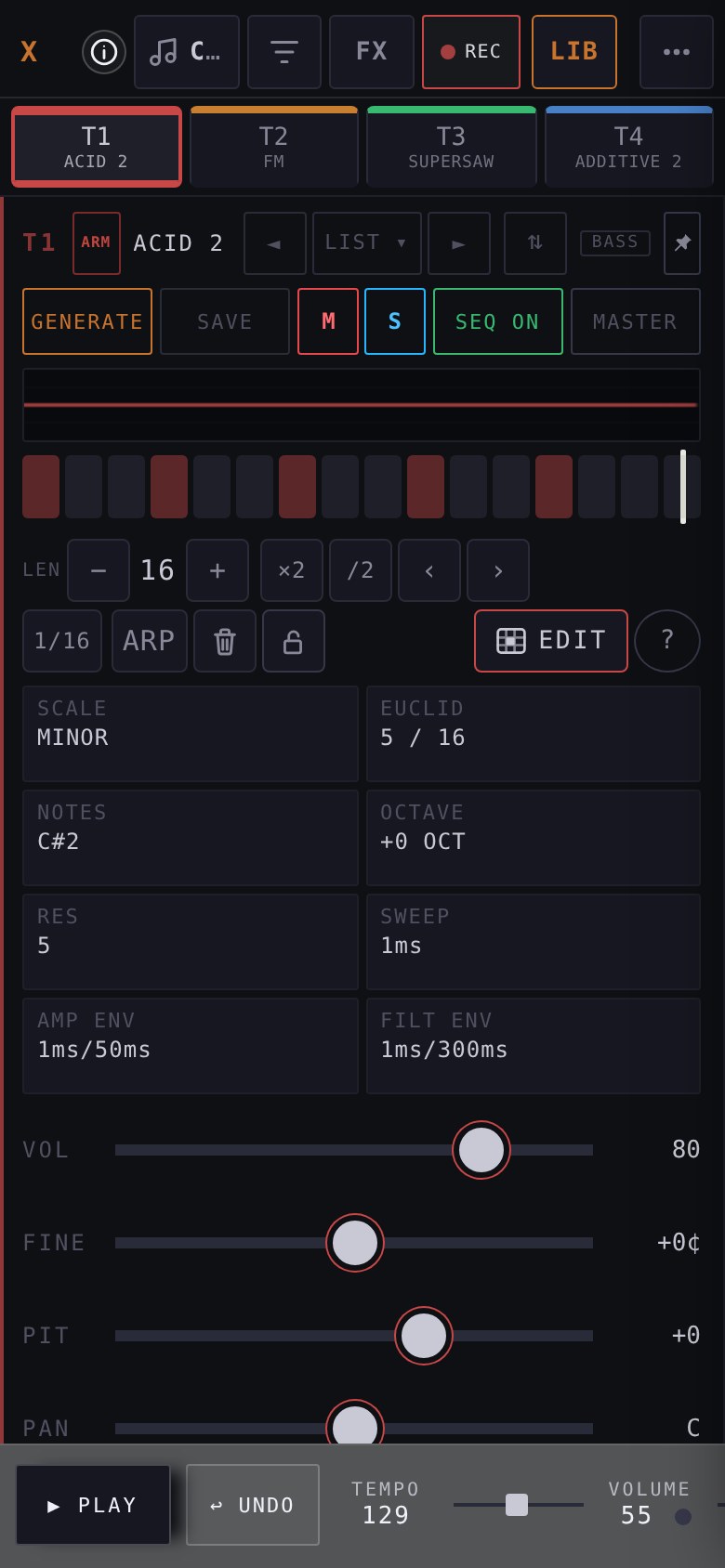
On a phone the layout rearranges itself: one track at a time, big sliders, a full-screen note editor. Add it to your home screen and it opens like a native app.
- Home screen appOn iPhone choose Share, then Add to Home Screen. It runs full screen, with no browser bars, and respects the notch and the home indicator.
- Track tabsT1 to T4 sit in one row, each with its track colour. The selected track keeps a coloured frame. Swipe sideways to change track.
- Big controlsSliders and buttons are sized for fingers. Rarely used header buttons live behind the ⋯ menu, and the length, nudge and edit controls wrap neatly.
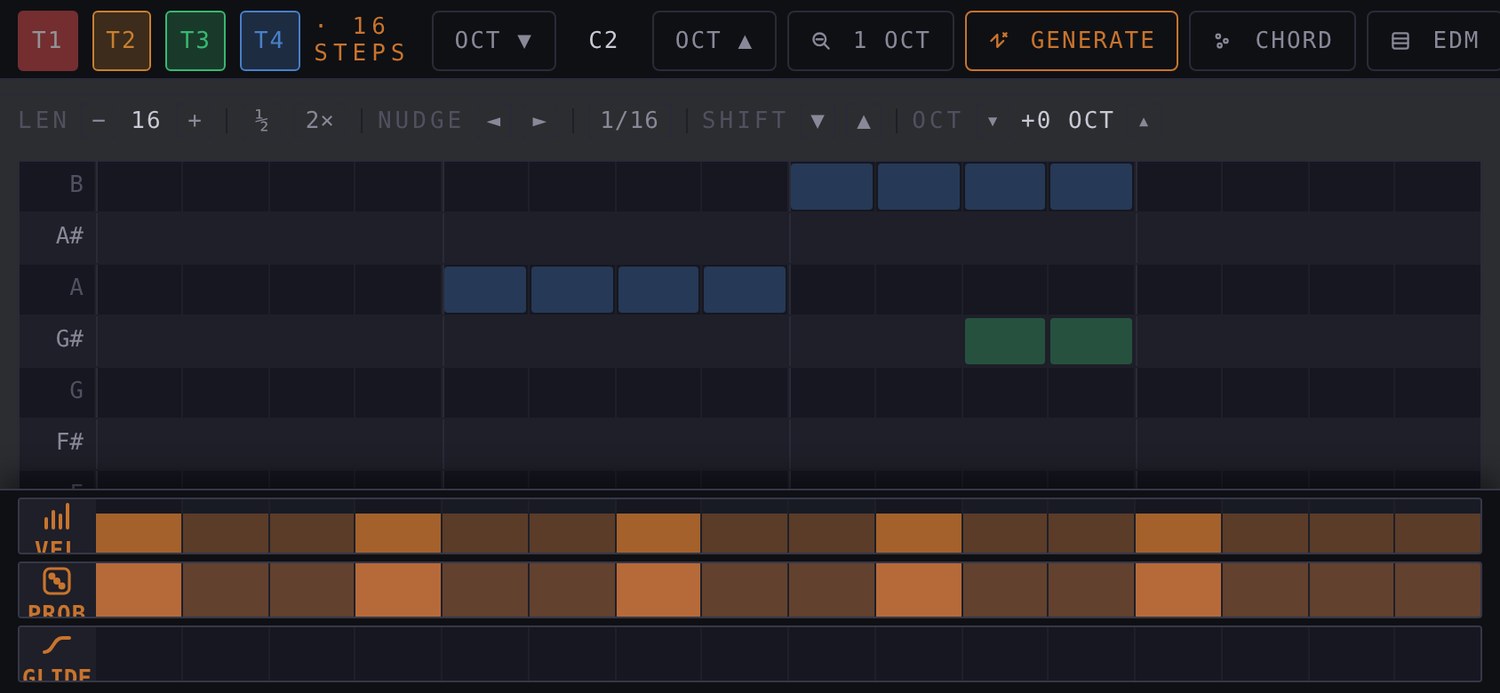
- Note editorHold a step, or tap EDIT, and the piano roll opens full screen, made for landscape: the app asks you to turn the phone. Tap sets or removes a note. Drag sideways to see every step and up or down to move through the octaves.
- Velocity & probabilityVEL, PROB and GLIDE strips are large and clearly marked, so you can draw them by finger.
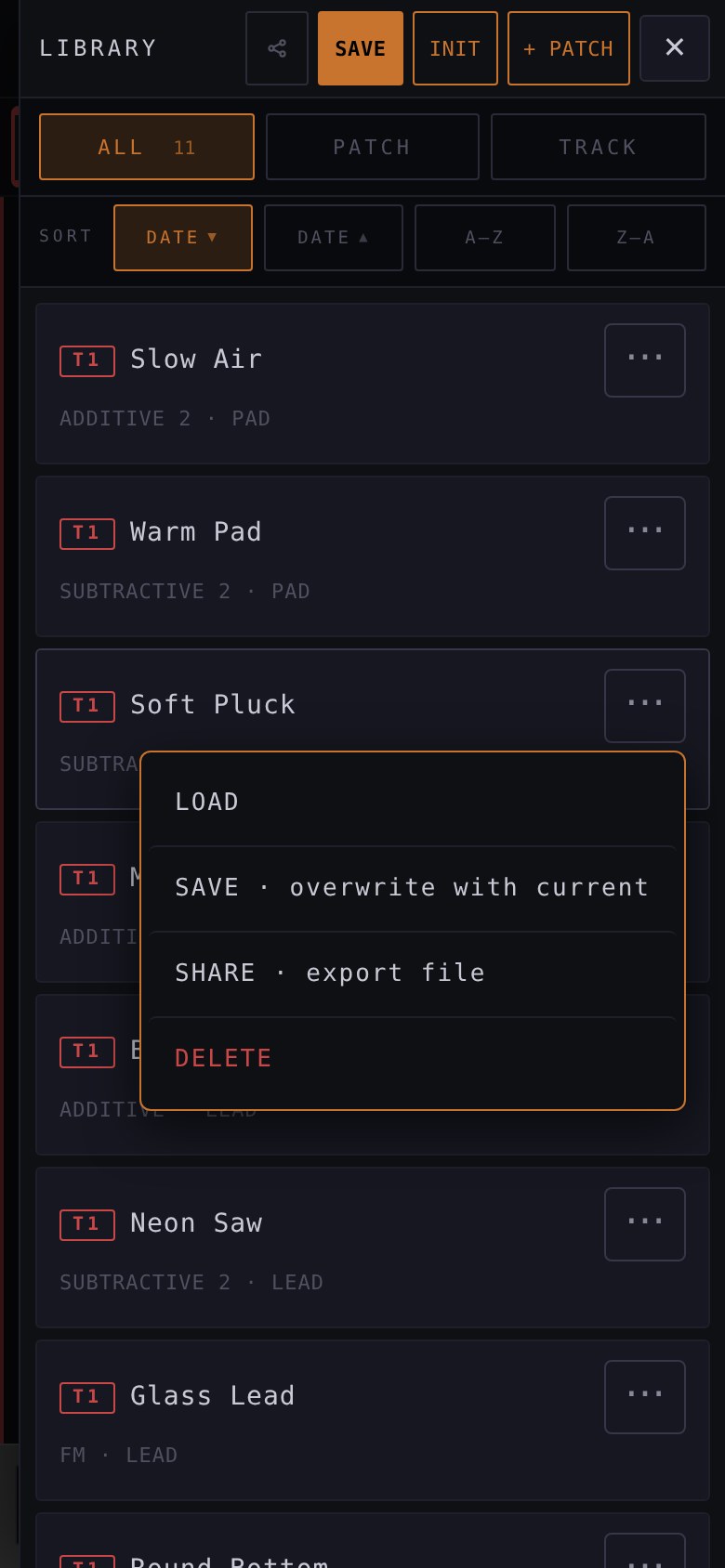
- LibraryTap a preset to load it. The ⋯ menu on each row offers Load, Save, Share, Chain and Delete without crowding the list.
- Sound browserThe same ◄ LIST ▾ ► and ⇅ buttons are there, in thumb size.
A drum machine next to your synths.
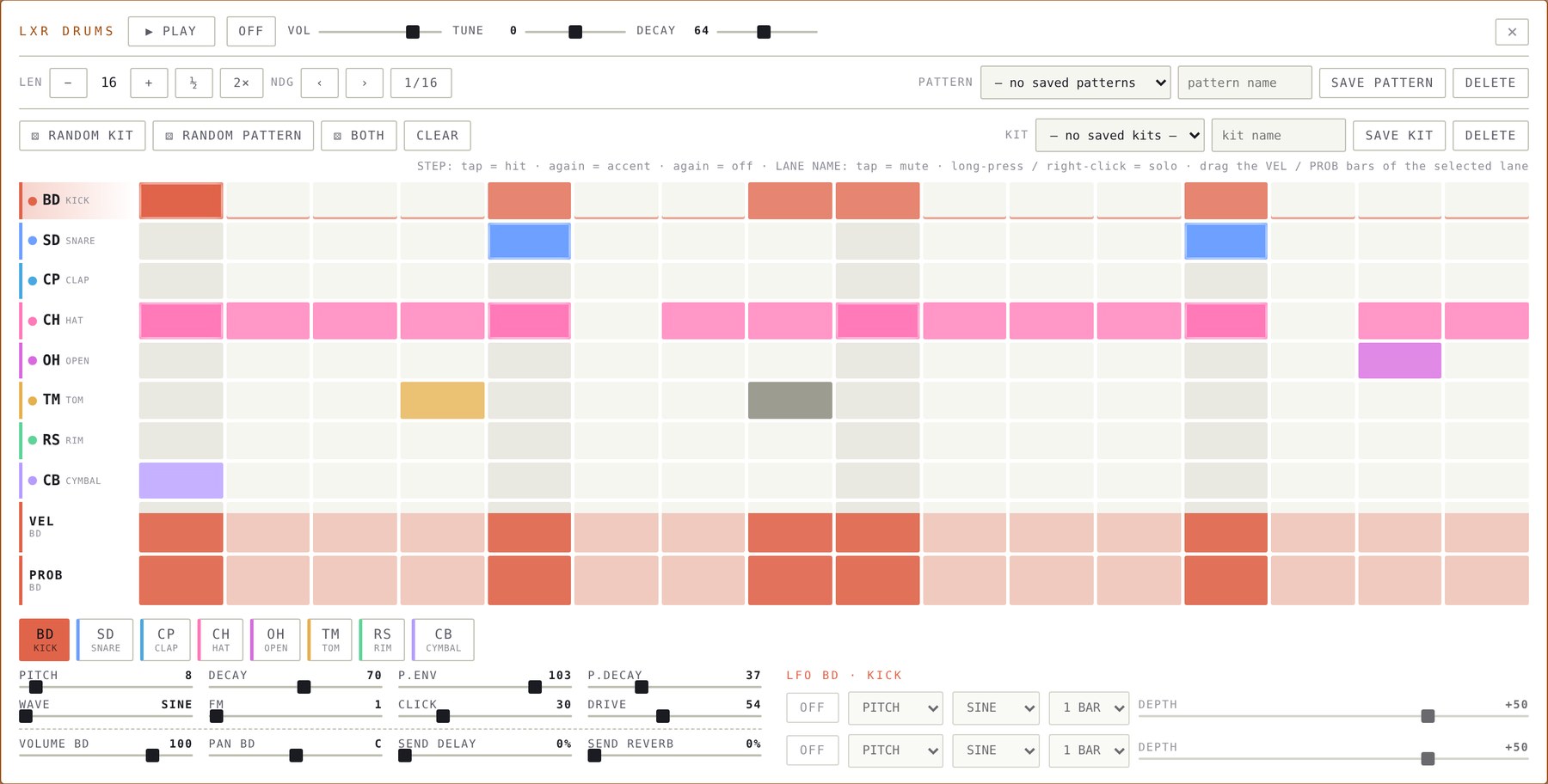
LXR is an eight-voice drum machine, inspired by the coveted Sonic Potions LXR. Kick, snare, clap, hats, tom, rim and cymbal are synthesized in your browser, and every lane can take a sample of your own on top. Roll a beat in a second, or draw every hit yourself.
Eight synthetic sounds
Every lane has its own synthesized voice with eight controls.
- BD · SD · CP · CH
- kick, snare, clap, closed hat
- OH · TM · RS · CB
- open hat, tom, rim, cymbal
- Controls
- pitch, decay, pitch envelope, FM, click, drive, noise, tone, ratio, filter and more, depending on the voice
- Waves
- sine, triangle, saw, square and noise
- Drive
- three characters: TUBE (warm), FOLD (wavefolder), PEDAL (distortion)
- Kit
- TUNE and DECAY move all eight sounds together
Per-lane sound design
Every lane has its own chain after the voice.
- Filter
- lowpass, highpass, bandpass, notch or peaking, with cutoff, resonance and its own drive
- Ring mod
- four waves, frequency and mix
- Reducer
- sample-rate and bit reduction per lane
- Velocity
- choose how strongly the hit velocity drives the level
- Mix
- VOLUME, PAN, SEND DELAY and SEND REVERB per sound
Layer your own samples
Each lane can add one sample under or instead of the synthesized voice.
- Layer
- volume, tune ±24 semitones, decay and the level of the synth voice underneath
- Attack only
- uses just the first 50 ms as a transient
- Choose
- a drop-down list with ‹ › to step through, like kits and patterns
- Audition
- a newly chosen sample sounds right away when AUDITION is on
- Manager
- the LXR DRUMS tab of the library: filter by sound type, play, rename, re-file, delete
A real step editor
Tap a cell for a hit, tap again for an accent.
- VEL
- velocity 1 to 127 for every step
- PROB
- probability per step, shown live while you drag and kept in the bar
- Prob steps
- ⚙ sets how many probability levels exist and their percentages, globally
- Roll
- 1, 2, 3, 4 or 6 hits inside one step
- Length
- 1 to 64 steps with its own loop; short drums over long melodies make polyrhythms
- Lanes
- tap a lane name to mute, long-press or right-click to solo
Roll the dice
One click rolls the rhythm, the sound, or both.
- ⚄ RANDOM KIT
- new sounds, the pattern stays
- ⚄ RANDOM PATTERN
- a new rhythm, the kit stays
- ⚄ BOTH
- a complete beat in a second
Kits and patterns
Sounds and rhythms are stored separately, so any beat can meet any kit.
- Kits
- the eight sounds with their filters, samples, LFOs and effects, saved with SAVE KIT
- Patterns
- steps, velocity, probability, rolls, length and resolution
- Browse
- KIT and PAT in the strip, ◄ ► step through the lists
Two LFOs per lane
Every lane can move any of its sound controls, level or pan.
- LFOs
- tempo-synced from eight bars to 1/32
- Shapes
- sine, triangle, saw, square and sample-and-hold
- Depth
- −100 to +100 percent
Effects on the whole kit
Three effects sit on the drum bus.
- SRR
- global sample-rate and bit reduction
- Compressor
- threshold, ratio, attack, release, makeup and mix
- Delay
- mono or ping-pong, synced from 1/16 to 1/2, with feedback, tone and mix
- Reverb
- fed by the SEND REVERB sliders
Part of the song
LXR follows the transport like everything else.
- Sync
- follows TEMPO and SHUFFLE, starts with PLAY
- Control
- MIDI learn on every control, ← → step any parameter (Shift = ×10), SOLO on Shift+5, 6, 7
- One voice per lane
- like the hardware: a new hit fades the previous one out, which keeps the CPU low
- Saved
- stored in patches and chains, and included in the audio export
- Open itThe blue LXR button sits in the bottom bar right before KICK and LOOP. A yellow dot shows that it has steps. Right-click or long-press it to jump straight into the editor.
- The stripON, MUTE, SOLO and a volume slider live in the strip. KIT and PAT open the lists of saved kits and patterns.
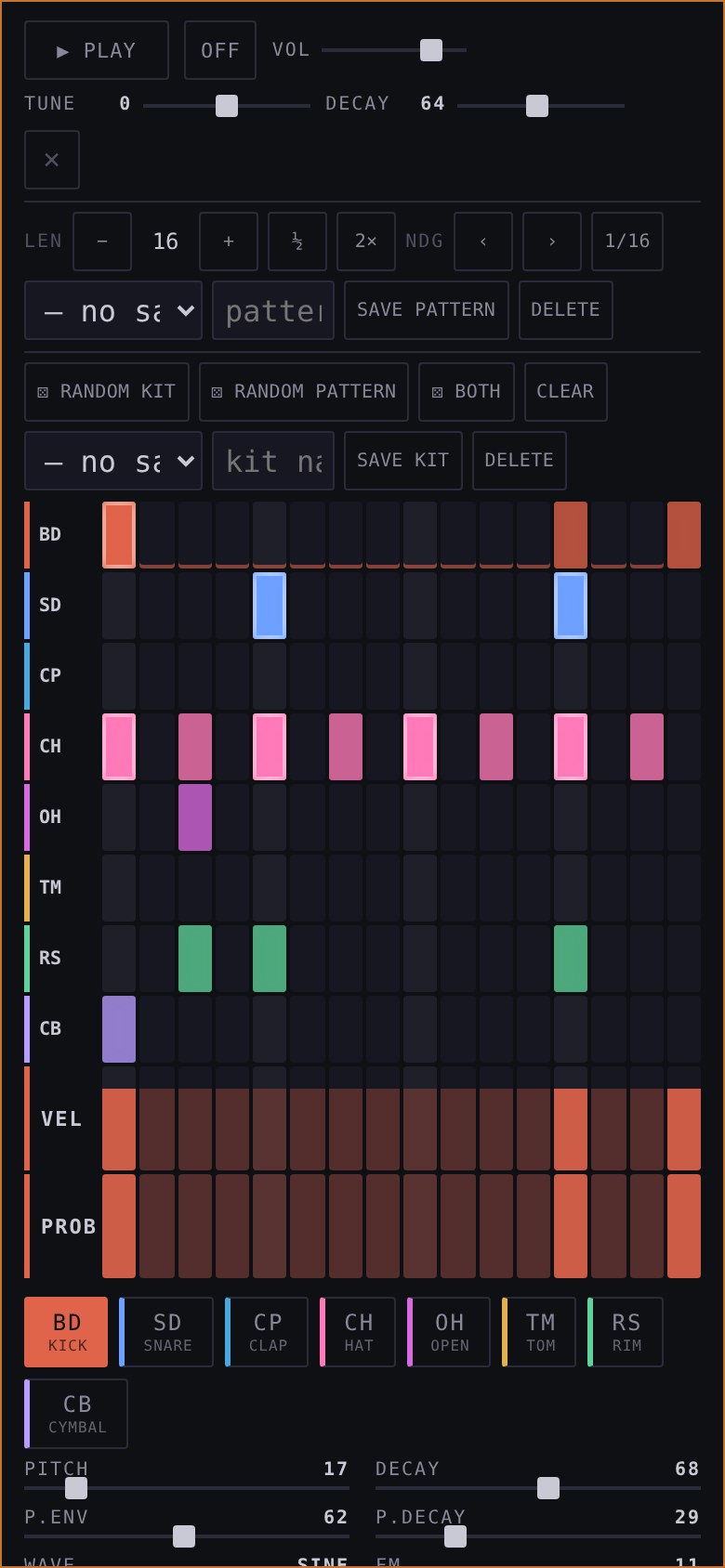
- Pocket-sizedOn a phone the editor fits the screen: the steps, the VEL and PROB bars and the controls are sized for fingers.
- ExportLXR is rendered into the audio export and the master recording. The MIDI file carries the four synth tracks.
Your own kick. Your own loop.
Two dedicated strips under the four synth tracks carry audio from your files. They run in sync with the sequencer and appear in the export.
Four on the floor, your sample
- TriggerA kick on every quarter note, independent of the track patterns.
- LoadPICK from the library, or drop an audio file onto the strip. ◄ ► load the previous or next kick instantly.
- TimingThe silent lead-in is skipped and onset compensation lands the transient on the beat. Offset −200 to +200 ms, right-click the strip.
- MixVolume slider, mute with the 5 key, pulse LEDs on every beat.
- ExportRendered as its own KICK WAV with the offset applied.
Any loop, tempo matched
- StretchPlays at project tempo divided by loop tempo, with pitch following the speed.
- TempoThe loop BPM is read from the file name, 60 to 200, default 120.
- SyncRestarts every cycle of the longest pattern. Library picks join at the next bar.
- MixVolume slider, mute with the 6 key, ◄ ► cycle loops sorted by BPM.
- ExportIncluded as its own LOOP WAV at the original tempo.
- SavedBoth are stored with the patch: name, volume, mute state and loop BPM.
- LibraryFiles are tagged automatically. A BPM number makes a loop, names like kick or bd make a kick. Duplicates are detected.
- MasterKick and loop skip the bus compressor and pass through the master limiter.
Save the song. Chain the set.
Save whole patches or single tracks, tag, share and chain them.
- Patch or trackSave all four tracks with globals, or a single track.
- Seamless loadLoading while playing waits for the end of the longest pattern.
- ChainsLink patches and give each a repeat count of 1 to 8.
- Favorites modeGenerate draws from your saved patches instead of synthesizing.
- ShareExport and import single presets or the whole library as JSON, samples included.
- Last songThe app starts with the last loaded or saved patch.
- Safe by defaultThe library always opens on the PATCH filter, so a stray click never swaps a single track.
- UndoUp to 100 steps for tracks, tempo, transpose, effects and scale.
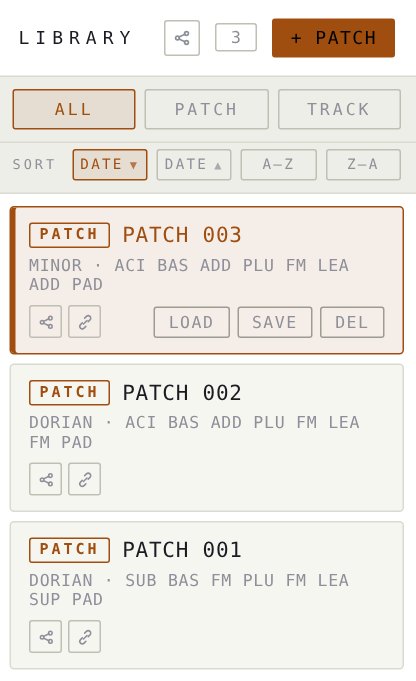
Every saved sound. One click from the track.
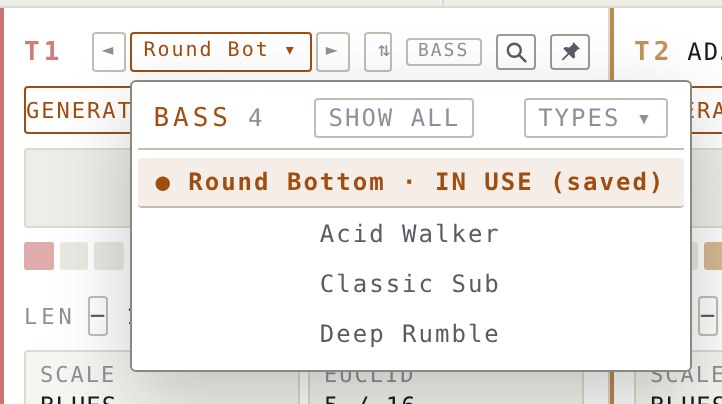
Each track has its own preset list. It shows your saved sounds filtered by sound type, across all engines, and it loads only the sound. Your pattern stays untouched, so you can audition sounds while the groove keeps playing.
- LIST button◄ LIST ▾ ► sits next to every track name. LIST opens a drop-down with your saved track presets; the arrows step to the previous or next one.
- Filtered by sound typeThe list follows the track's sound type, not its engine. A BASS track lists every saved bass, whether it was made with FM, subtractive, additive or any other engine.
- Sound onlyPicking a preset replaces the sound: engine, oscillators, envelopes, filter, LFOs and effect sends. Notes, pattern, length, scale, mix and locks stay exactly as they are.
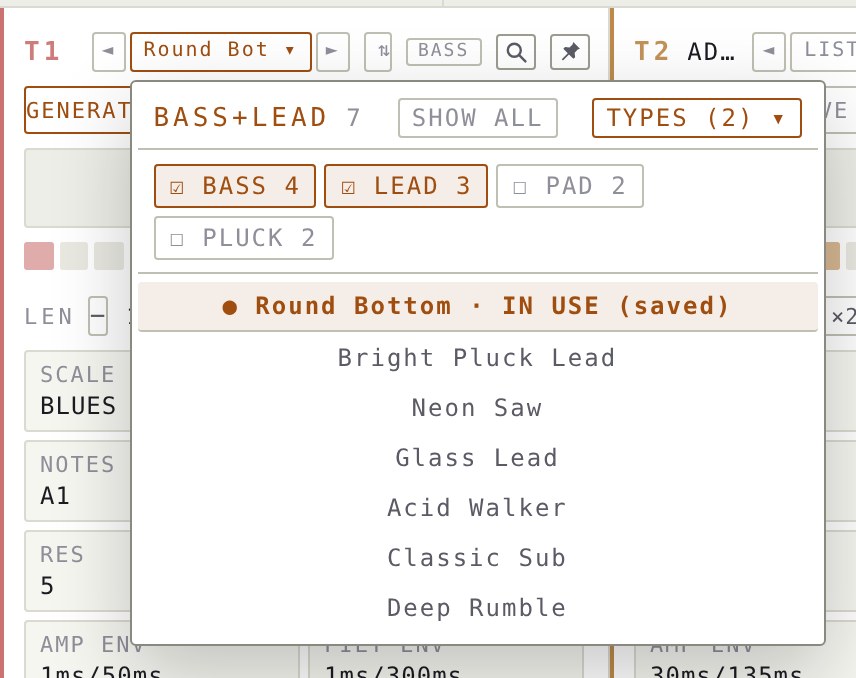
- SHOW ALL / TYPE ONLYSwitch between the matching sound type and the complete list of saved sounds.
- TYPES ▾Tick several sound types at once, for example BASS and LEAD, to browse a wider selection.
- In useIf a track already runs a saved sound, that sound is pinned to the top of the list under its name, marked IN USE. The track's SAVE button dims, so you know it does not need saving again.
- Works while playingStep through sounds with the arrows and hear each one on your running pattern.
Move sounds and patterns between tracks and machines.
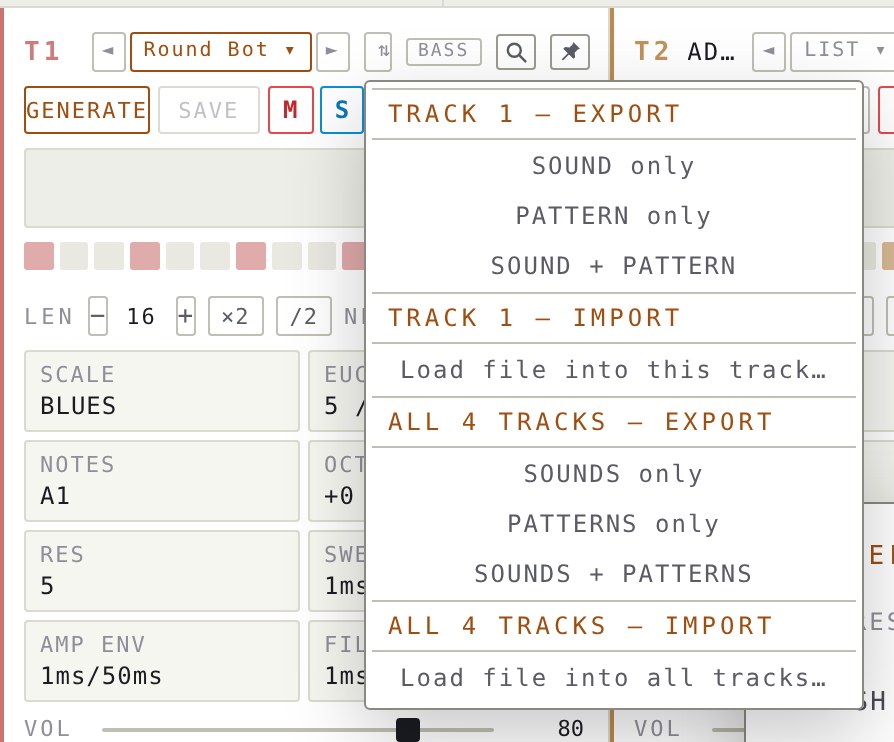
The ⇅ button on every track exports and imports small JSON files. Send a bass to a friend, reuse a rhythm on another track, or back up all four tracks. Sound and pattern are separate, so you choose what travels.
- Three kinds of fileSound only, pattern only, or both together as a full track.
- One track or all fourThe menu on each track handles that track. The global entries handle T1 to T4 in one file.
- What a sound file holdsEngine, oscillator and filter settings, envelopes, LFOs, effect sends, sound type and musical role.
- What a pattern file holdsSteps, notes, velocity, probability, chords, length and scale of the track.
- Clear file namesFor example xgenerator-t2-sound-DATE.json for the sound of track 2, or xgenerator-all-pattern-DATE.json for the patterns of all four tracks.
- Import changes only what is insideA sound file leaves the pattern alone. A pattern file leaves the sound alone. A global file maps T1 to T4 back to the four tracks.
- SafeFiles that do not belong to the app are rejected, and UNDO reverts any import.
- Use it forGive the pattern of T1 the sound of T3, keep one rhythm while swapping sounds, hand a single sound to a collaborator, or archive a whole session.
Take it into your DAW.
Export loops as MIDI, stems as WAV, or record the live master.
- MIDI fileStandard MIDI file, type 1, with a tempo track and four note tracks on channels 1 to 4. Includes velocity, chords, octave and transpose.
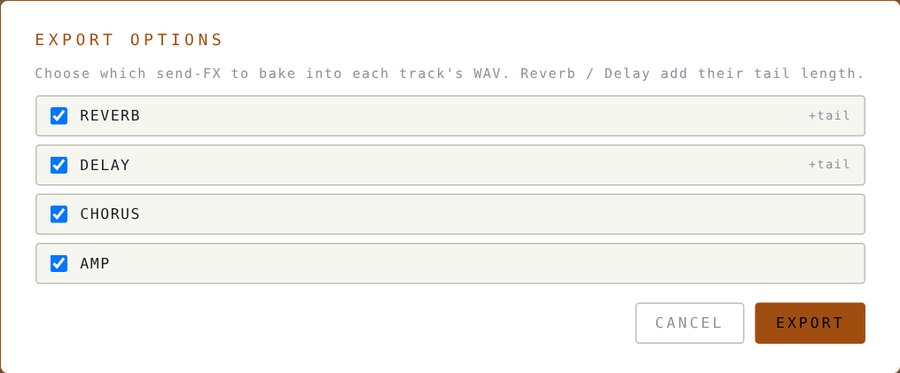
- WAV stemsOne stereo 16-bit WAV per track, one pattern loop each. Choose which effects to bake in; reverb and delay add their tail.
- Kick, loop & LXRRendered or included as extra files. LXR is part of the audio export and the master recording.
- One EXPORT menuMIDI and audio export live behind a single EXPORT button, right after REC in the header.
- Download allAll files are listed with one download button.
- Master RECRecords the live master mix to WAV from play to stop.
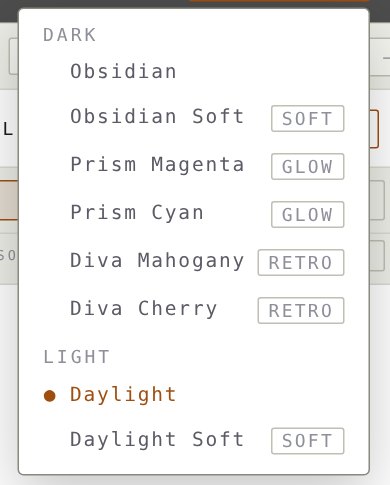
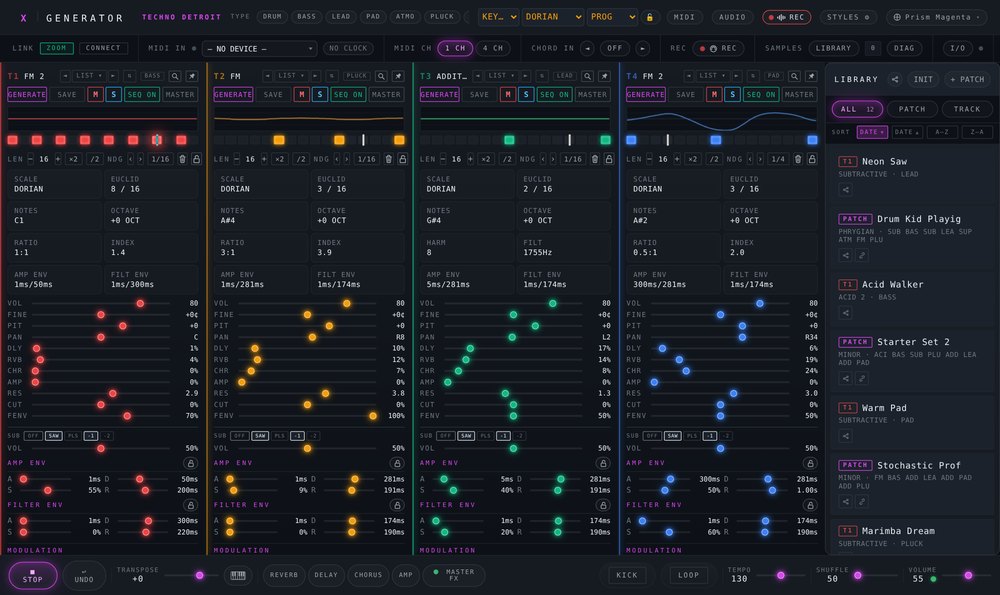
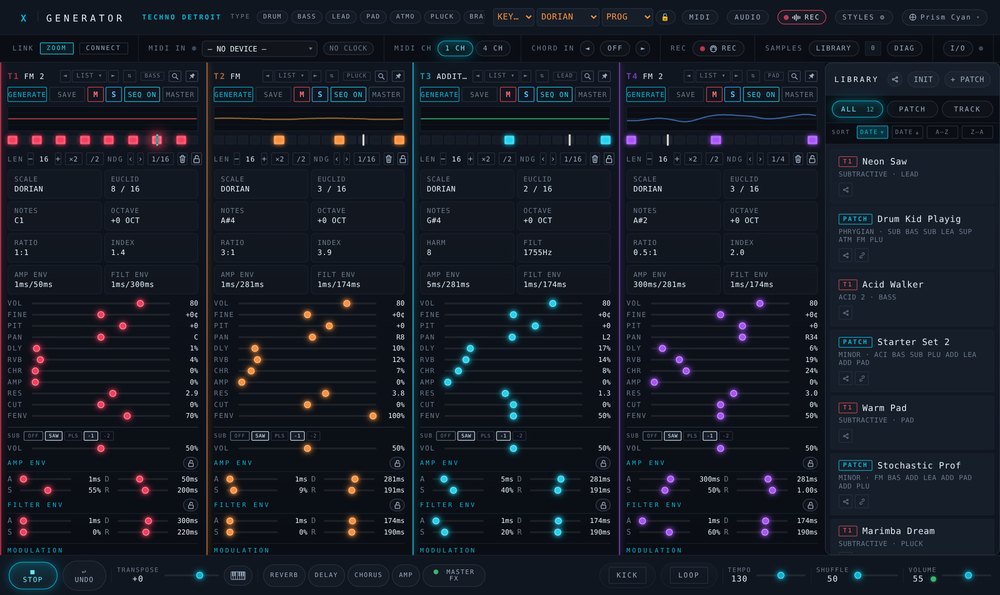
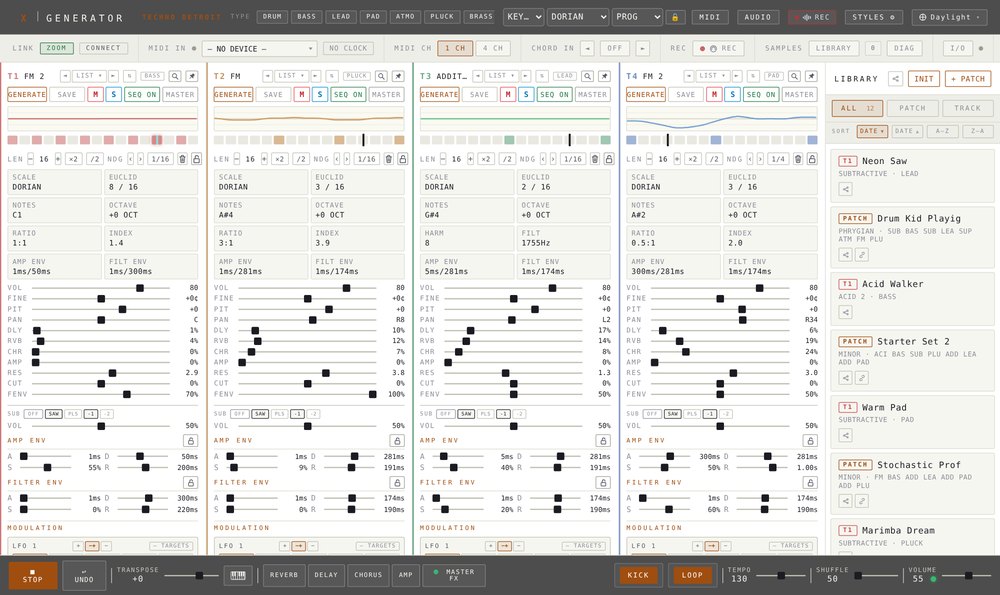
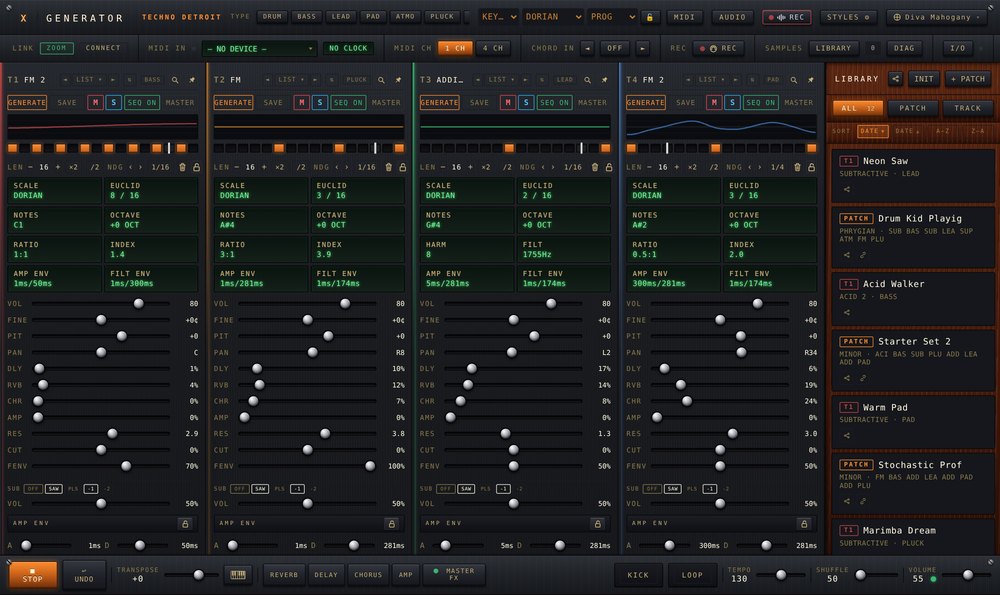
Eight looks, one instrument.
Dark or light, soft or vivid.
comments
what users say
"it reminds me a lot on Rebirth, but in a modern way..." Joerg, Germany
"holy cow, its running soooo smooth and generates a lot of juicy grooves/ideas - love it!" Chayenne, US
"quiet impressive, what's possible inside just a browser! I'm blowed away!" Hank, US